

Key Takeaways
- Smart planning prevents congestion and heat build-up while keeping connectivity stable as teams and devices grow.
- Proper separation from electrical lines and gentle bends protect signal quality and prevent frustrating packet loss.
- Clear labels and tidy racks speed troubleshooting, improve airflow, and reduce downtime during maintenance work.
- Routine testing and inspections catch hidden faults early and keep office network cabling performing reliably.
Introduction
Modern workplaces depend on fast, stable connections, yet lag, dropped calls, and slow file transfers still disrupt daily tasks. Many of these frustrations originate behind walls, beneath desks, and inside crowded server racks. Poor planning or careless handling of office network cabling can cause routine work to slow to a crawl, turning video meetings into stuttering exchanges and shared drives into waiting games.
Careful planning, tidy installation, and consistent upkeep keep systems running smoothly. Minor oversights, however, can accumulate into stubborn bottlenecks that quietly drag workplace performance down.
1. Poor Planning That Creates Network Bottlenecks
Rushed installations may appear efficient at first, yet shortcuts frequently create problems that demand far more time to fix later. Cabling that ignores office layout, device density, or future expansion quickly reaches capacity. Congested pathways and tangled runs complicate troubleshooting and upgrades.
A. Overcrowded Cable Pathways
Stuffing bundles into tight conduits restricts airflow, encouraging heat build-up that gradually weakens signal stability. Warm cables experience signal degradation, which leads to inconsistent speeds and connection drops. Separating runs and allowing breathing room preserves performance and extends cable life.
B. Ignoring Growth and Device Expansion
As teams grow and devices multiply, infrastructure without spare capacity quickly becomes strained. Adding workstations, wireless access points, and smart devices strains infrastructure that lacks spare capacity. Planning extra ports and pathways prevents the need for disruptive rewiring. Many firms rely on IT maintenance in Singapore to audit capacity and recommend upgrades before congestion becomes disruptive.
2. Installation Errors That Interfere with Signal Quality
High-grade cables can still struggle if installation introduces strain, interference, or poor termination. Physical strain, electromagnetic interference, and incorrect termination reduce efficiency and create hidden faults.
A. Running Data Cables Near Electrical Lines
Power cables emit electromagnetic interference, so routing data lines too close to electrical wiring can disrupt transmission quality. Routing data lines alongside electrical wiring may introduce packet loss and unstable connectivity. Maintaining proper separation and using shielded cables where necessary reduces interference.
B. Excessive Bending and Tight Corners
Forcing cables into sharp bends stretches internal conductors and distorts signal flow over time. Over time, these stress points lead to intermittent faults that are difficult to trace. Smooth curves and proper bend radius keep signals consistent and dependable.
3. Cable Management Habits That Lead to Downtime
A messy server room may appear harmless at first glance, yet tangled cords slow maintenance work and increase the risk of costly errors. Organisation plays a practical role in keeping systems reliable.
A. Unlabelled Connections and Patch Panels
Without clear labels, tracing faults becomes a guessing game that delays repairs and frustrates staff. Technicians waste time unplugging and testing connections while productivity stalls. Proper labelling keeps troubleshooting quick and ensures your office network cabling remains manageable.
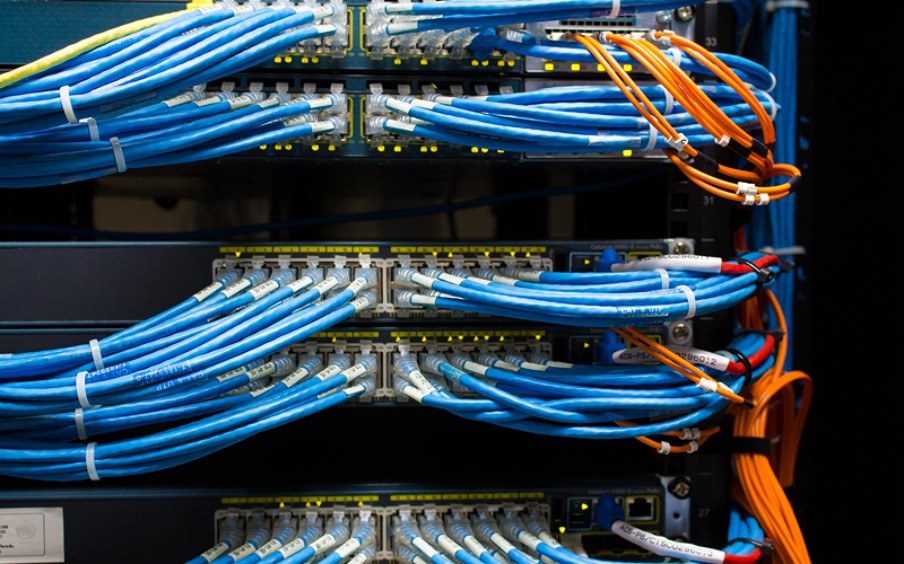
B. Tangled Racks and Poor Routing
Disorganised racks trap heat and obstruct airflow, which can shorten hardware lifespan and make maintenance harder to complete. With IT maintenance inspections scheduled regularly, routing stays orderly and prevents avoidable downtime.
4. Using Outdated or Mismatched Cabling
Mixing cable categories or relying on ageing infrastructure restricts network capacity, preventing modern devices from performing at their intended speeds. Devices capable of high speeds cannot perform fully when connected to lower-grade cabling.
Older Cat5 lines, for example, may bottleneck modern gigabit networks. Upgrading segments strategically keeps costs controlled while improving throughput. Compatibility checks carried out through IT maintenance in Singapore help prevent mismatched components from limiting performance.
5. Skipping Testing and Certification
Installation may appear complete once cables are plugged in, yet hidden faults can remain without proper testing. Without proper testing, hidden faults may linger until users notice slow connections or unstable service.
Office network cabling should be verified with certification tools that measure signal strength, continuity, and compliance with performance standards. Routine checks provide documentation useful for future troubleshooting and system upgrades.
6. Overlooking Routine Maintenance
Network infrastructure experiences gradual wear, making periodic inspection essential to prevent performance decline and unexpected disruptions. Dust accumulation, loose connections, and physical wear can degrade performance gradually.
Scheduled audits identify early signs of damage and keep connectivity stable. Regular upkeep keeps performance consistent across the office network cabling while minimising unexpected disruptions.
Conclusion
Smooth connectivity depends on careful planning and disciplined upkeep, so it rarely happens by accident. Careful planning, proper installation, and organised maintenance prevent small mistakes from turning into daily frustrations. Separating data and power lines, labelling connections clearly, allowing room for growth, and keeping racks tidy all contribute to a dependable workplace network.
Slow connections interrupt workflows and disrupt collaboration, causing productivity to drop while frustration spreads across the office. A professional evaluation can uncover hidden faults and recommend practical improvements that keep operations running smoothly.
Contact MAG-IT today to review your network setup and ensure your office stays connected without the drag.
