

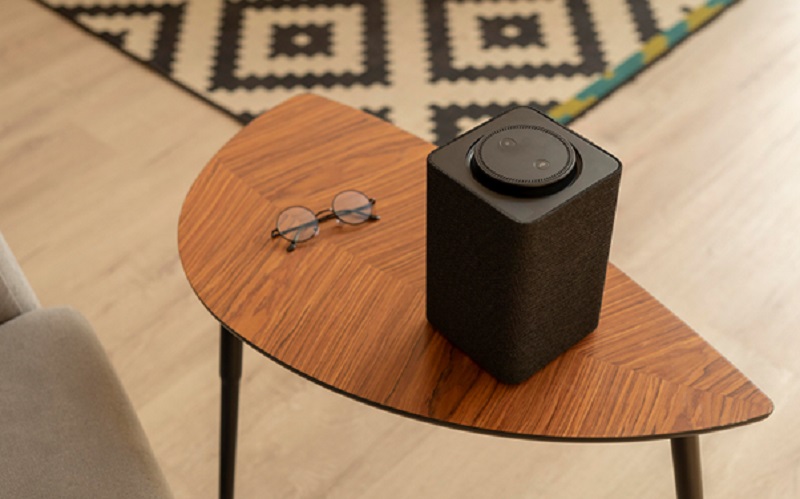
Life feels better when music flows easily through your day. No one wants to waste precious minutes fumbling with tangled wires or complicated devices. The quickest way to enjoy Bluetooth speakers daily is to keep things straightforward, intentional, and practical. Here are the steps to make sure your speakers aren’t just décor but part of your daily rhythm.
1. Pair Once and Stay Connected
The most time-consuming step is usually the first setup. To avoid repeating it, pair your Bluetooth speakers to your phone, tablet, or laptop once and save the connection. Most devices automatically reconnect, so your playlist is only a tap away. Keep the device you use most often as the primary connection so you don’t end up wrestling with multiple pairings.
2. Find the Sweet Spot in Your Space
Sound quality isn’t just about the speaker itself. Placement matters more than most people realise. Keep your speakers slightly raised rather than on the floor and away from corners where bass can become distorted. A small shelf or console table works well. Positioning them smartly ensures fuller sound without you needing to keep adjusting the volume.
3. Create Quick-Access Playlists
It’s tempting to scroll endlessly for songs, but curating ready-to-go playlists makes daily listening seamless. Think morning motivation, dinner background, or a wind-down mix for the evening. Once you hit play, your Bluetooth speakers can carry you through each mood without constant fiddling.
4. Embrace Wireless Speakers for Different Rooms
Sometimes, one isn’t enough. Adding wireless speakers in more than one room lets you move around freely without the sound dropping off when you head to the kitchen or study. Portable units make this even simpler, so you don’t spend time dragging a single device from room to room. With multiple speakers, your environment adapts to your day, not the other way around.
5. Keep Them Charged and Ready
Nothing kills the vibe faster than a low battery warning. If your speakers are portable, get into the habit of charging them at a consistent time, perhaps overnight alongside your phone. For plug-in models, use a power strip with an accessible switch to make it easy to cut off power without unplugging every time.
6. Make Voice Commands Work for You
Pairing your speakers with voice assistants can shave off extra steps. Instead of unlocking your phone, simply say what you want to play or adjust. Voice control is particularly handy when your hands are full, like when you’re cooking, working out, or tidying the flat.
7. Keep Cables as Back-Up, Not Primary
Although the point is to go wireless, it’s worth keeping a small auxiliary cable tucked away. If the Bluetooth connection glitches during a call or meeting, you can plug in quickly. This prevents small technical hitches from disrupting your flow. Think of it as insurance rather than a regular habit.
8. Clean for Sound, Not Just Looks
Dust and moisture can creep into the speaker grill, slowly dulling the sound. A gentle brush or microfibre cloth once a week helps keep things clear. Avoid sprays directly on the unit. Clean speakers not only last longer but also produce sharper, crisper audio.
9. Use Them for More Than Music
While playlists are the obvious use, wireless speakers are equally great for podcasts, guided meditations, or even online workouts. Expanding the way you use them makes the investment feel worthwhile. The key is to integrate them into different parts of your routine, rather than treating them as occasional luxuries.
10. Set Boundaries with Notifications
No one wants WhatsApp pings echoing through dinner. Adjust your Bluetooth settings so that only media and calls go through your speakers, while notifications remain muted on your phone. This keeps the atmosphere intact while still keeping your essentials within easy reach. The quickest way to enjoy Bluetooth speakers every day is to focus on simplicity: pair them once, position them wisely, charge them consistently, and expand your usage.
From daily playlists to podcasts, they can quietly support your routine without demanding much effort. By treating wireless speakers as part of your everyday environment rather than a gadget you set up occasionally, you’ll notice how naturally they enhance the flow of your day.
Contact Harvey Norman to explore Bluetooth and wireless speakers that can suit your lifestyle needs.
